
Generate a new project
Setup development environment
To set up your development environment, follow the instructions in Setting up the Local Environment for Angular
Generate a new workspace and the initial project
When you create a new project, CLI will automatically generate a new workspace for you. Open a console window and enter the following command ng new ciemasen-angular-starter --strict=true --routing=true --style=scss In this command, we used few parameters
ciemasen-angular-starter: this is the name of the workspace and the project
strict: Creates the workspace with stricter type checking and build optimization options. TypeScript code will enable strict mode. This will reduce the angular bundle size.
routing: This will generate the routing module. If you haven't provide this value, CLI will prompt you to enter

style: This will use scss for the styling. You can provide any of css,scss,sass,less or stylus as the value. In this example, we used scss If you havn't mention this parameter, CLI will prompt you with the available options
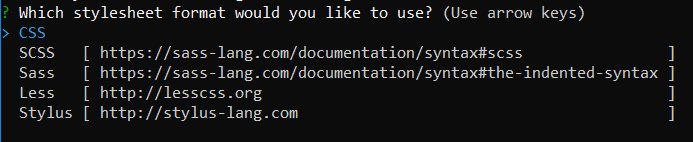
In addition to these, there are few more parameters available. Have a look on the Angular official documentation for more details
Compile the project
Go to the workspace directory and run following command in the console window. ng build You can build the code in production mode by passing --prod parameter to build command
Serve the application
Go to the workspace directory and run following command in the console window. ng serve You can pass --open parameter to serve command which will automatically open the browser for you.
Now we have angular starter project created. You can move forward and start creating the content you want.
However, There are situations where we have to create multiple angular projects, let's see how we can accommodate that.
Workspace with multiple projects
Angular workspace can contain one or more projects. In Order to do that, we can create an empty workspace and add projects to that workspace.
Generate workspace
To create a empty workspace, you can use following command. ng new ciemasen-angular-starter --createApplication=false Now we have an empty workspace created and now we can add projects to that.
Generate a project
Go to the workspace directory and run following command in the console window. ng generate application my-first-app you can repeat the same command with different project names to add multiple projects to workspace.